Verified Call vs Talview: interview integrity compared
Verified Call checks the candidate's own computer and the call, before and during the video interviews you already run. Talview is an interview and assessment proctoring platform: interviews run inside Talview, with ID checks, a secure browser, continuous face and voice matching and virtual camera alerts.
This page compares the two on the questions hiring teams ask, using Talview's own public pages for every Talview cell, with links. Checked October 2026.
Verified Call vs Talview at a glance
| What it checks |  Verified Call | Talview |
|---|---|---|
| Spots hidden AI tools like Cluely and Interview Coder | Yes | YesClaims to stop unauthorised tools and LLM help inside Talview sessions (secure browser, screen monitoring).Their words: "prevent unauthorized tools and LLM assistance during assessments and interviews"Source |
| Detects deepfakes and face swaps | Yes | YesClaims face-swap and voice-clone detection.Their words: "Prevent Face-Swap & Voice-Cloning Fraud in Online Interviews"Source |
| Notices a different face or voice | Yes | YesContinuous face and voice matching.Their words: "Continuously confirms the same person stays on camera throughout the session"Source |
| Checks the voice belongs to the same person | Yes | YesVoice cross-checked against the verified baseline in the session.Their words: "cross-checks voice patterns against the verified baseline"Source |
| Tells a direct camera from camera software | Yes | YesNames virtual cameras such as OBS and ManyCam.Their words: "Virtual camera detected on candidate’s device."Source |
| Checks during the live call | Yes | YesAlerts during live interviews.Their words: "This notification is shown in real time during the Live Interview session."Source |
| No bot joins the call | Yes | Not applicableNot comparable: interviews run inside Talview's platform. |
| Works inside the interviews you already run | Yes | PartlyLive interviews run on Talview's own interview platform; it also sells Teams and proctoring add-ons.Their words: "Talview’s interview platform is designed to reduce attack surfaces"Source |
| No special hardware needed | Yes | No public informationSoftware platform with a secure browser, but its deepfake scans use secondary camera monitoring, which may need a second device.Their words: "secondary camera monitoring exposes hidden cheating setups"Source |
| Publishes how it tests, false alarms included | Yes | No public information |
Checked October 2026. Talview cells come from its own public pages, linked in each row; they are its claims, not our tests. "No public information" means we found no public evidence, not that the feature is missing. Verified Call's results, with how each was tested, are on the Research page.
How Talview works
Talview's live interviews run on its own interview platform. Its pages describe a check that "Continuously confirms the same person stays on camera throughout the session", voice cross-checks against a verified baseline, a "Virtual camera detected" alert, and secondary camera monitoring for its deepfake scans.
What Verified Call does
Verified Call checks the person on a video call, before and during it, without joining. The host turns it on for guests in Google Calendar. The candidate gets an email link that opens 10 minutes before the call, agrees on a consent screen and runs the Verified Call app for about five minutes of checks. During the call the app keeps checking for hidden AI tools, camera software and a change of face. The host sees a badge next to each person in the call: Verified, Needs a look with the proof, or Can't confirm.
- 30 of 30tries, each of 4 hidden AI tools foundOctober 4, 2026
- 0 of 30false alarms with no AI tool open, and 0 of 30 with everyday apps openOctober 4, 2026
- 0 of 3,990sessions with someone else’s face got through, on recordings of 70 peopleOctober 1, 2026
- 962 of 970sessions with the real person clearedOctober 1, 2026
Our own testing. How each was tested is on the Research page.
What each is best for
Talview
Talview is a good fit for teams that want one proctoring platform for both interviews and assessments, with ID checks and a secure browser built in.
Verified Call
Verified Call is a good fit for teams that want to keep interviewing in the video calls they already run, with a badge next to each person and a check on the candidate's own computer for hidden AI tools, camera software and a different face, and no extra device.
Other comparisons
 ComparisonVerified Call vs BrightHireBrightHire joins your interviews to record notes. Verified Call never joins.Checked October 2026
 ComparisonVerified Call vs iProoviProov checks the video when the host asks. Verified Call checks before and during.Checked October 2026
 ComparisonVerified Call vs Polygraf AIPolygraf listens to the answers. Verified Call also checks the camera and computer.Checked October 2026
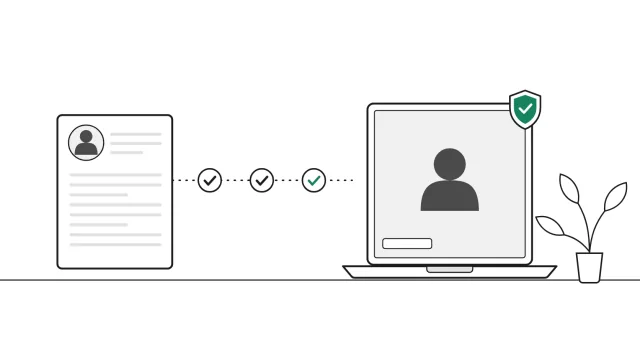 ComparisonVerified Call vs RopesRopes screens before the interview. Verified Call checks the interview itself.Checked November 2026
Frequently asked questions
What is the difference between Verified Call and Talview?
Talview runs interviews and assessments inside its own proctoring platform. Verified Call works in the video interviews you already run, checking the candidate's own computer and the call before and during the interview.
Does Talview detect virtual cameras?
Talview's documentation describes a "Virtual camera detected" alert during live interviews. Verified Call also tells a direct camera from camera software on the candidate's computer.
Do I need to change interview platform to use Verified Call?
No. Verified Call works in the video calls you already run: the host turns it on in Google Calendar, and the badge shows next to each person in the call.
Is Verified Call a Talview alternative?
For teams that want an integrity check in the video calls they already run, without moving to a proctoring platform, yes.
Related guides
 Buyer's guideWhy you should ask any interview integrity tool for its false-alarm rateWhat a good answer looks like, how to read small samples, and 8 questions to ask any vendor.
 Buyer's guideCheating detection tools for interviews (2026)15 interview integrity tools, grouped by how they check.
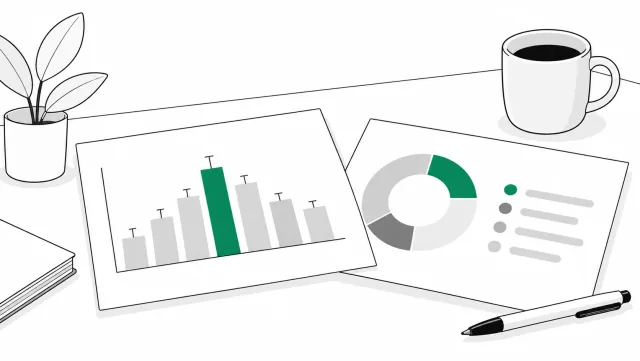 DataInterview integrity statistics 2026Sourced numbers on AI help, stand-ins and deepfake candidates.
See it on a real call
Book a short demo and we will run the check on a live call and answer your questions as we go.
Book your demo (opens a booking window)