Verified Call vs iProov: interview integrity compared
Verified Call checks the candidate's own computer and the call, before and during the interview, and names hidden AI tools. iProov Verified Meetings is a plugin for video meeting platforms: the host triggers a check that analyses the live video for deepfakes and confirms it comes from a physical camera.
This page compares the two on the questions hiring teams ask, using iProov's own public pages for every iProov cell, with links. Checked October 2026.
Verified Call vs iProov at a glance
| What it checks |  Verified Call | iProov |
|---|---|---|
| Spots hidden AI tools like Cluely and Interview Coder | Yes | No public information |
| Detects deepfakes and face swaps | Yes | YesClaims deepfake detection from the video.Their words: "imagery analysis to detect deepfakes and presentation attacks"Source |
| Notices a different face or voice | Yes | PartlyHost-triggered check that participants are genuine; matching to a known person through the call not described.Their words: "Confirm if participants are genuine during the call"Source |
| Checks the voice belongs to the same person | Yes | No public information |
| Tells a direct camera from camera software | Yes | YesClaims to confirm a physical camera.Their words: "confirm the video originates from a physical camera rather than a virtual environment"Source |
| Checks during the live call | Yes | YesRuns in the call when the host triggers it.Their words: "analyzes the live video stream in real time when triggered by the host"Source |
| No bot joins the call | Yes | No public informationPlugin; participants are not alerted. Whether anything appears in the participant list is not stated.Their words: "For participants, no action is required"Source |
| Works inside the interviews you already run | Yes | YesPlugin for video meeting platforms (platforms not named).Their words: "Delivered as a native plugin for video conferencing platforms"Source |
| No special hardware needed | Yes | YesPlugin in the meeting app; participants do nothing.Their words: "Delivered as a native plugin for video conferencing platforms"Source |
| Publishes how it tests, false alarms included | Yes | No public informationNo published test results found for Verified Meetings. |
Checked October 2026. iProov cells come from its own public pages, linked in each row; they are its claims, not our tests. "No public information" means we found no public evidence, not that the feature is missing. Verified Call's results, with how each was tested, are on the Research page.
How iProov works
iProov describes Verified Meetings as "a native plugin for video conferencing platforms". The host triggers the check, which "analyzes the live video stream in real time", and "For participants, no action is required".
What Verified Call does
Verified Call checks the person on a video call, before and during it, without joining. The host turns it on for guests in Google Calendar. The candidate gets an email link that opens 10 minutes before the call, agrees on a consent screen and runs the Verified Call app for about five minutes of checks. During the call the app keeps checking for hidden AI tools, camera software and a change of face. The host sees a badge next to each person in the call: Verified, Needs a look with the proof, or Can't confirm.
- 30 of 30tries, each of 4 hidden AI tools foundOctober 4, 2026
- 0 of 30false alarms with no AI tool open, and 0 of 30 with everyday apps openOctober 4, 2026
- 0 of 3,990sessions with someone else’s face got through, on recordings of 70 peopleOctober 1, 2026
- 962 of 970sessions with the real person clearedOctober 1, 2026
Our own testing. How each was tested is on the Research page.
What each is best for
iProov Verified Meetings
iProov Verified Meetings is a good fit for organisations that want a host-triggered deepfake and physical-camera check from a biometrics company, with nothing for participants to do.
Verified Call
Verified Call is a good fit for hiring teams that want the check to run on the candidate's own computer through the whole interview, including hidden AI tools named with proof, and published test results with false alarms.
Other comparisons
 ComparisonVerified Call vs BrightHireBrightHire joins your interviews to record notes. Verified Call never joins.Checked October 2026
 ComparisonVerified Call vs TalviewTalview runs interviews in its own platform. Verified Call works in yours.Checked October 2026
 ComparisonVerified Call vs Polygraf AIPolygraf listens to the answers. Verified Call also checks the camera and computer.Checked October 2026
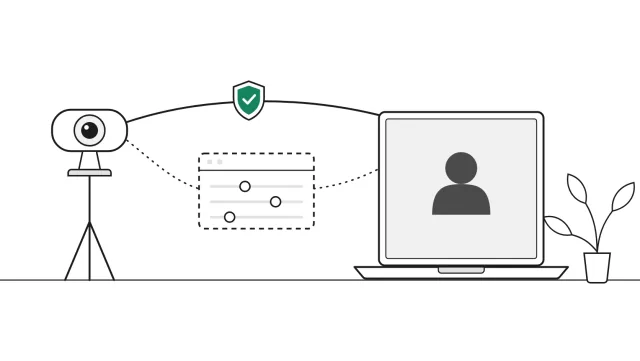 ComparisonVerified Call vs InterviewGuardBoth run on the candidate’s computer. Verified Call adds a badge in the call.Checked November 2026
Frequently asked questions
What is the difference between Verified Call and iProov Verified Meetings?
iProov Verified Meetings is a plugin that analyses the live video for deepfakes when the host triggers it. Verified Call runs on the candidate's own computer before and during the interview, and also checks for hidden AI tools and camera software.
Does iProov Verified Meetings detect virtual cameras?
iProov says it confirms the video comes from a physical camera rather than a virtual environment. Verified Call also tells a direct camera from camera software, checked on the candidate's computer.
Does Verified Call need the candidate to do anything?
Yes, briefly. The candidate opens an email link, agrees on a consent screen and runs the Verified Call app for about five minutes before the call. That is what lets it check for hidden AI tools, camera software and a change of face or voice.
Is Verified Call an iProov alternative for interviews?
For job interviews, yes. It checks before and during the call and shows a badge in the call, with the proof behind every result.
Related guides
 Buyer's guideWhy you should ask any interview integrity tool for its false-alarm rateWhat a good answer looks like, how to read small samples, and 8 questions to ask any vendor.
 Buyer's guideCheating detection tools for interviews (2026)15 interview integrity tools, grouped by how they check.
 DataInterview integrity statistics 2026Sourced numbers on AI help, stand-ins and deepfake candidates.
See it on a real call
Book a short demo and we will run the check on a live call and answer your questions as we go.
Book your demo (opens a booking window)